Put your application online without moving its origin
The machine that runs an application and the address people use to reach it can have different jobs. RingLink Connector makes that separation practical
The application works. You can open it on the machine where it runs, and everyone who has seen it wants access. Then comes the networking conversation: does this machine have a public IP? Who controls the router? Can we open a port? Would it be easier to move the whole thing somewhere else?
A small application can inherit a surprisingly large infrastructure project this way. A preview running on a workstation, a service at a branch office and a workload inside a private network all have the same basic need: an address their users can reach. Moving the application is only one way to provide that address
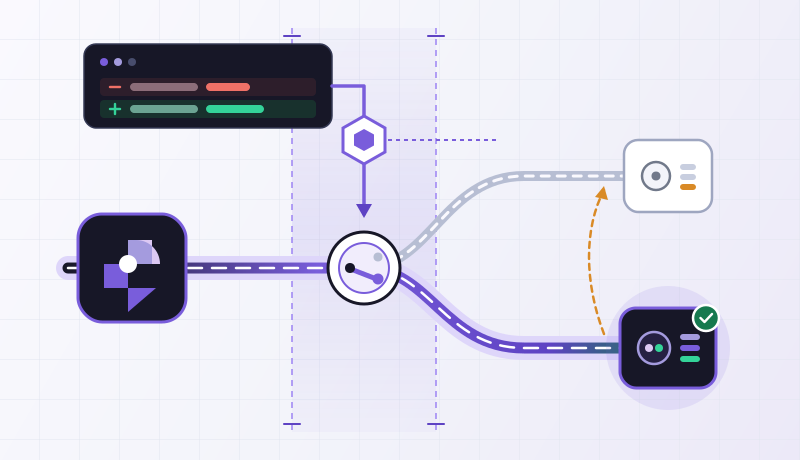
With RingLink Connector, the origin device establishes an outbound connection to RingLink. A public application entry at the edge forwards the selected traffic back through that connection. The application can keep its local address, its existing deployment process and the machine it already runs on
TCP · Edge entry127.0.0.1An address for the application, a home for the process
This is a useful distinction to make early. An application might belong on a particular machine because it sits next to a database, talks to a local device, or is part of a deployment that already works. None of those decisions should be made by the availability of a spare public IP
The Connector gives that machine a path to RingLink. When you publish an application, you choose its protocol and the local address and port the Connector should reach. The resulting public hostname and entry port are what you give to users
That does not expose an entire subnet. The application has an explicit local target. Other services on the host still need their own configuration, and a Mesh-only Connector cannot be used as a public application origin. For this path, use an ordinary Connector attached to an active service instance
A service that stays on 127.0.0.1
Use a supported Linux or Windows host for the Connector; the commands here use Linux with Python 3 and curl. You also need an active RingLink instance and permission to manage its applications and Connectors. The Python server is a deliberately small example, not a production web server. For a real application, keep its normal process manager and substitute its listener address
A plain HTTP service makes the idea easy to see. Put a page in a directory and bind a small server to loopback. This command starts a local listener; keep it running while you configure the application
mkdir -p ~/private-service
printf 'Hello from a private origin\n' > ~/private-service/index.html
python3 -m http.server 8080 --bind 127.0.0.1 --directory ~/private-servicecurl --fail --show-error http://127.0.0.1:8080/
# Hello from a private originRun that check in a second terminal on the same host. A connection refusal here means the local process is not listening; changing RingLink settings cannot fix it. In this example the Connector will run on this host too, so 127.0.0.1 refers to the right machine. A Connector inside a separate container has a different loopback interface: use an address it can actually reach instead
In Dashboard, open Connectors and add an ordinary Connector to your service instance. Run the generated installation command on the device that runs this service, then wait for the Connector to come online. Use the command generated for your device: it includes a short-lived enrollment credential
Now create a TCP application on the same instance. Choose the Connector as the origin, enter 127.0.0.1 as its local address and 8080 as its local port. Connector-origin applications use one target port and keep Proxy Protocol off. The public port comes from the application configuration: select an available one when your plan calls for a custom port, or use the allocated value on an automatically assigned plan
Open the hostname and entry port shown on the application. For the simple page above, the response should be the same line you see locally
curl --fail http://YOUR_RINGLINK_HOST:YOUR_EDGE_PORT/
# Hello from a private origin
Replace both placeholders with the values on your application; do not copy the local port into the public URL unless the two really match. Run this request from another machine or mobile connection. For this plain HTTP example, explicitly use http://: a browser that upgrades it to HTTPS will ask a non-TLS listener to negotiate TLS
When the page does not open, follow the first failing hop
Start with the local curl above. If it works, check that the selected Connector is online and belongs to the same instance as the application. Confirm TCP, the selected Connector, local address 127.0.0.1 and local port 8080 in the application record. Then compare the public URL’s port with the entry port shown in Dashboard
If a timeout remains, read the Connector diagnostics in Dashboard. They help separate an offline device from an unreachable local target. If you get an HTTP error page instead, inspect the application’s Host-header rules and logs. Once the public request returns the expected line, you have checked the service itself through the published path
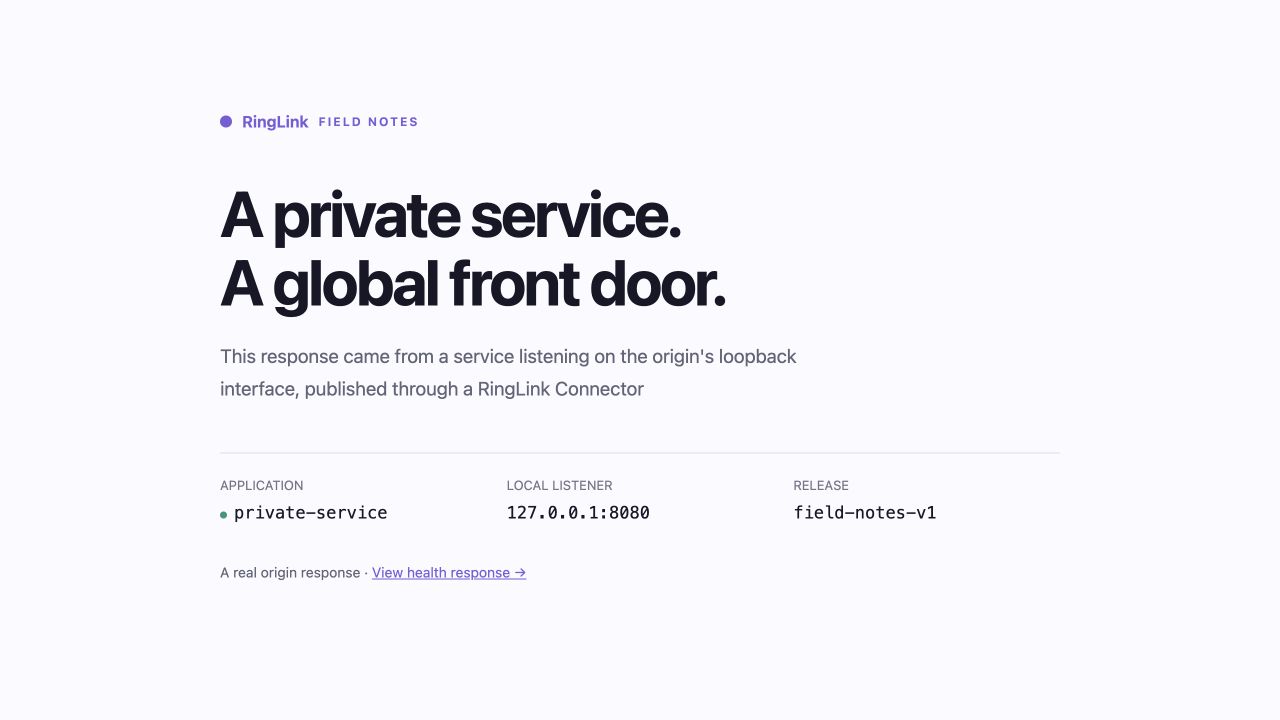
For the screenshot below, we published a small application page using this same loopback arrangement. The page retrieved through RingLink matched the local file byte for byte. The host kept a separate management connection, and no public inbound rule was opened for the application port
Keep the application decisions with the application
TCP carries the HTTP or TLS bytes your application already speaks. To serve sensitive traffic, terminate TLS at the origin listener with a certificate trusted by your clients and valid for the hostname they request. Use a custom hostname you control for a public certificate; the example’s plain HTTP listener does not add TLS. Native HTTP/HTTPS application mode is a separate option for dedicated-IP instances with public origins
There are application details worth keeping in view. A service that checks Host headers or builds absolute links needs to recognize its public hostname and entry port. This Connector path does not preserve the original client IP, so origin-side IP rules cannot distinguish individual users. Keep the application’s own authentication in place
Once the connection works, the application and Connector IDs become part of the deployment record. The machine can keep doing the work it was chosen for. RingLink provides the entry through which people reach that work