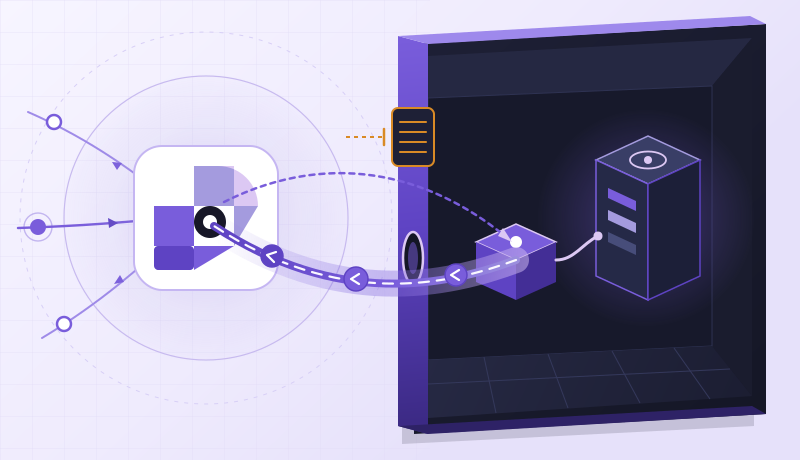
Claude, switch the origin. Keep the address
A release can change where an application runs without changing how its users reach it. Here is how we connected that update to Claude Code and RingLink MCP
The most useful output from our release was a small change in a health response. The public entry that had returned field-notes-v1 now returned field-notes-v2. The application ID and the address used to reach it were unchanged
- "release": "field-notes-v1"
+ "release": "field-notes-v2"
Behind that change, Claude Code had updated one application’s local origin from port 8080 to port 8081 through RingLink MCP. The new process was already running. Our release runner requested the public /health endpoint before and after the update to check that the entry reached the expected version
This is a small operation, but it is the sort of work that can get left outside an otherwise automated release. The code ships, a process starts, and someone still needs to open another interface to update the path users will take to it. An agent that understands the release should be able to help finish that last part
Give the release a resource to work with
You can reproduce the origin change without shipping a whole application. The commands below create two tiny health endpoints on one Linux host with Python 3. Keep each command running in its own terminal, alongside the ordinary Connector. On an existing deployment, use your real health endpoint instead
mkdir -p /tmp/ringlink-release/v1 /tmp/ringlink-release/v2
printf '{"release": "field-notes-v1"}\n' > /tmp/ringlink-release/v1/health
printf '{"release": "field-notes-v2"}\n' > /tmp/ringlink-release/v2/health

# Terminal 1
python3 -m http.server 8080 --bind 127.0.0.1 --directory /tmp/ringlink-release/v1

# Terminal 2
python3 -m http.server 8081 --bind 127.0.0.1 --directory /tmp/ringlink-release/v2curl --fail http://127.0.0.1:8080/health
curl --fail http://127.0.0.1:8081/healthBefore connecting Claude, create the TCP application in Dashboard using the ordinary Connector and local target 127.0.0.1:8080, with Proxy Protocol off. Save its application ID with your deployment configuration, along with the public hostname and port. This gives the agent an exact resource to update. From another machine, request the public /health URL and confirm field-notes-v1
/mcp · JSON-RPCSaved application IDPublic entry unchangedOutbound ConnectorExternal /health verification127.0.0.1:8080 · kept running during check127.0.0.1:8081 · active origin targetRingLink MCP provides the management interface at https://api.edge.ring.link/mcp. We connected Claude Code with a Project-scoped key, kept the token in its environment, and used the project’s MCP configuration to reference it
{
  "mcpServers": {
    "ringlink": {
      "type": "http",
      "url": "https://api.edge.ring.link/mcp",
      "headers": {
        "Authorization": "Bearer ${RINGLINK_API_TOKEN}"
      }
    }
  }
}
In Dashboard, open Integrations → API keys and create a key limited to the application’s Project, with an expiry and five scopes: instances:read, apps:read, apps:write, connectors:read and connectors:write. Changing a Connector-backed target requires connectors:write as well as apps:write. No new device is enrolled, so connectors:enroll is unnecessary. Put .mcp.json in the project root and start Claude Code there with RINGLINK_API_TOKEN set. This Bash prompt reads the token without echoing it or putting its value in shell history
read -r -s -p 'RingLink API token: ' RINGLINK_API_TOKEN
printf '\n'
export RINGLINK_API_TOKEN
claude
# After leaving Claude Code:
unset RINGLINK_API_TOKEN
Allow the project’s RingLink MCP server through Claude Code’s normal approval flow and use /mcp to check its connection. Keep the token out of prompts and Git. Give the agent the actual application resource ID, not the app_your_application placeholder below. If the server is disconnected or the resource is outside the key’s Project, stop there and fix access before attempting an update
The useful prompt was specific about what should change
Our request named the saved application ID and asked Claude to call ringlink_get_access, ringlink_get_app and ringlink_get_connector before changing anything. The existing target had to be 127.0.0.1:8080. Then ringlink_update_app would move it to port 8081, keeping the public entry, protocol and Connector in place
Read the approved application, confirm its current target, then move that target from 127.0.0.1:8080 to 127.0.0.1:8081. Keep the application ID and public entry unchanged
The operation itself is compact. resourceId is the application ID already saved by the deployment, and the idempotency key identifies this particular origin update. If the response is lost, the same intent can be retried with the same key
{
  "resourceId": "app_your_application",
  "localHost": "127.0.0.1",
  "localPort": 8081,
  "idempotencyKey": "release-v2-origin"
}
Pass these arguments to ringlink_update_app for your saved application ID and check the tool call succeeds before the external request. Use a new idempotencyKey for each release, and reuse a key only when retrying the same update
Then we asked the application
Claude called ringlink_get_app again after the update, then ringlink_get_connector_diagnostics. Those responses describe the saved configuration and device state. The release runner still needed an answer from the application, through the address a user would use
curl --fail --show-error \
  http://YOUR_RINGLINK_HOST:YOUR_EDGE_PORT/health
That request returned field-notes-v2. We compared the application record with the one saved before the update: the ID and public hostname and port matched. The local target was now 8081. This was a completed origin switch, rather than a new application with a new address
There is a cutover here. Traffic can reach the new version as soon as the update takes effect, so the old process stays running while the external check completes. If the response is wrong, a new update intent can point the same application back to 8080, followed by another request through the public entry
{
  "resourceId": "app_your_application",
  "localHost": "127.0.0.1",
  "localPort": 8080,
  "idempotencyKey": "release-v2-rollback"
}
After a rollback, repeat the public /health request and expect field-notes-v1. For a successful release, keep the old process until your normal connection-draining and observation period is complete. A successful health response proves where that request went; it does not prove that every connection survived the transition
A practical place for Agents in operations
What makes this useful is the division of responsibility. The application’s deployment process starts the new version. The agent works with an identified RingLink resource and a defined set of network operations. The release runner checks the user-facing result. Credentials and resource IDs are handled by the project, rather than rediscovered in every prompt
The same pattern can fit an API, a preview environment or a service operated by an AI-assisted team. Claude Code understands what the release is trying to accomplish; RingLink MCP gives it a way to make the corresponding network change. The application keeps running on the infrastructure the team already uses
Start by making one update repeatable. Save the application ID, tell the agent exactly which target may change, and keep the public request in the release process. The result is a network configuration that moves with the application